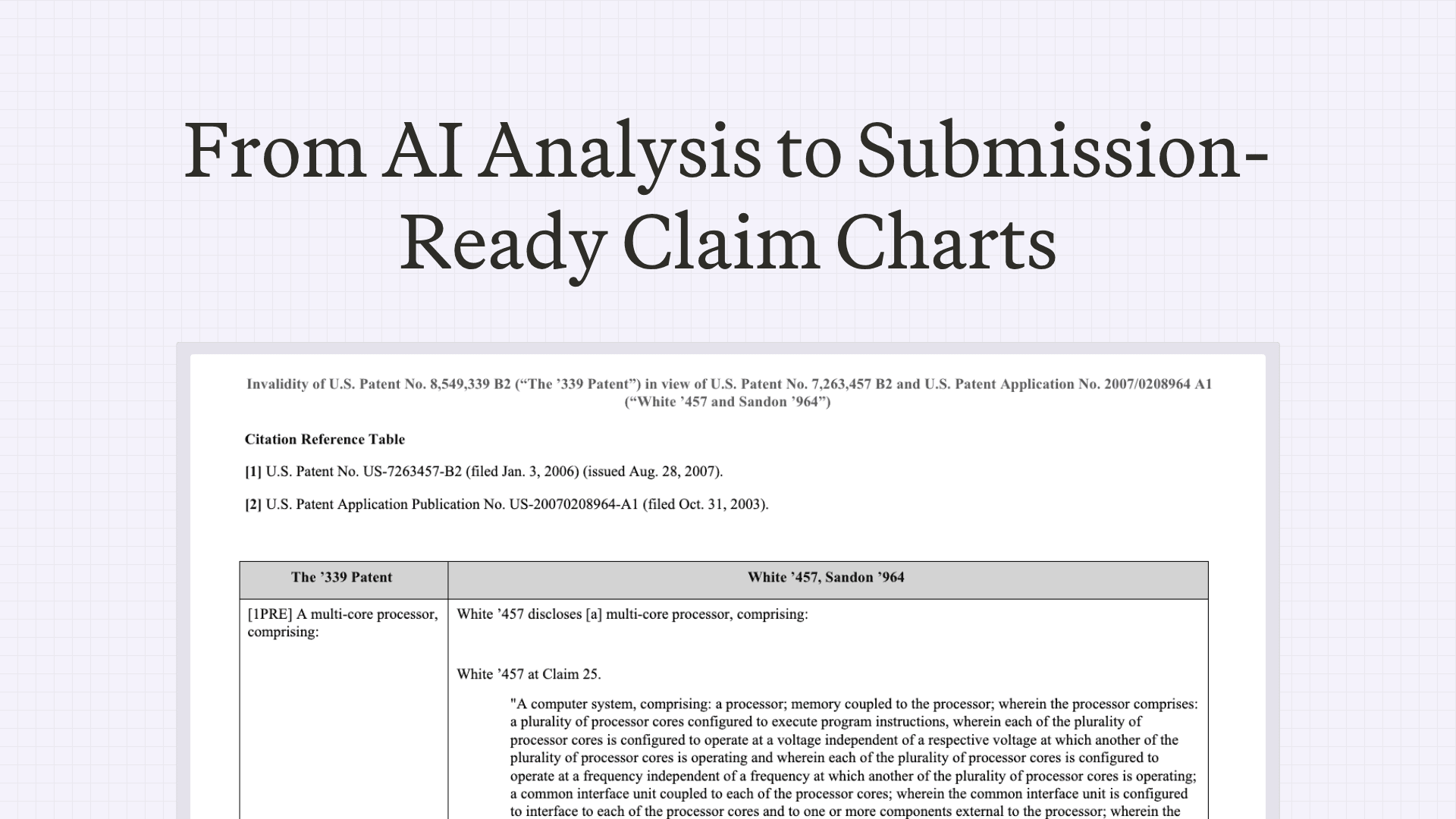
How Patent Litigators Draft Submission-Ready Claim Charts in &AI
May 11, 2026
 Caleb Harris
Manual claim charting almost always ends the same way: in Word.
The analysis may be finished, but the chart still needs to be made court-ready. Limitation labels need to match the firm’s convention. Citations need to follow the right format. Screenshots need to be aligned. Page breaks, headers, margins, tables, boilerplate, and fonts all need to be cleaned up before the chart can leave the team.
That formatting pass is not trivial. For many teams, it is one of the most repetitive and error-prone parts of the charting workflow. We rebuilt Chart Settings in &AI to move that work upstream.
Instead of generating a chart and fixing it afterward, teams can define exactly how their charts should look before export. &AI now supports 65 formatting controls across citations, boilerplate, evidence layout, page structure, limitation labels, screenshots, and more. The goal is simple: export court-ready charts with zero Word edits.

Built for real claim chart conventions
Every firm has its own charting conventions. Every matter has its own requirements. And every chart has dozens of small formatting decisions that have to be handled correctly.
&AI gives teams control over the formatting decisions that usually happen manually after the analysis is done.
Limitation labels
Set the limitation label format your team uses, from numeric labels like 1.2.1 to formal labels like 1A or 1B(i), including preamble formatting. The same labels carry through the chart, claim views, and final exports.
Boilerplate language
Claim charts contain repeated language everywhere: titles, introductions, table cells, preamble sections, transitions between references, and closing cell language.
&AI enabled teams set these templates once and reuse them across charts. That means less copying, fewer inconsistencies, and charts that match the firm’s preferred language from the start.
Bluebook-grade citations
Citation formatting has to be right. &AI supports full and short-form citations across patents, applications, documents, products, claims, figures, abstracts, media, and more. Teams can configure citation signals, repeat references, adjacent pincites, and combination-chart reference tables so citations export in the format the matter requires.
Evidence and citation layout
Chart layouts vary widely. Some teams use prose-heavy charts. Others rely on screenshots. Some put citations before the evidence; others put them after. Some use block-quote conventions; others keep citations inline.
&AI supports those preferences directly, including citation placement, quote formatting, indentation, screenshot alignment, and screenshot resolution. Invalidity charts and evidence-of-use charts can use different layouts in the same workspace.
Page layout and visual formatting
Export charts in the structure your team expects: landscape or portrait, two-column or three-column layouts, firm-standard margins, repeating headers, page numbers, table headers, limitation page breaks, font settings, and highlighting controls. The result is a chart that opens in Word already formatted for use, not another cleanup project.
Presets for teams and matters
The full Chart Settings surface can be saved as a preset. A firm can create a standard preset for its default chart format. A matter team can create a matter-specific preset. A new associate can join the team, apply the preset, and export charts that look like the rest of the work product on day one. When the matter changes, the preset changes with it.
Court-ready exports, not rough drafts
&AI supports 65 formatting controls today. Even the basic toggle settings create more than 127 million possible combinations before accounting for drop-downs, numeric settings, and custom text fields.
That flexibility matters because claim chart formatting is not cosmetic. It is part of the work product. The chart you finish in &AI should be the chart that goes to court. If your firm has a formatting convention &AI does not support yet, send us the spec. We’ll build it.
Create your &AI account today. 7-day free trial with credits included.
Frequently asked questions
What is &AI Chart Settings?
It's where patent teams define exactly how a claim chart should look before export—citations, boilerplate, evidence layout, page structure, limitation labels, and screenshots. Whether you're drafting invalidity claim charts or evidence of use charts, charts come out court-ready instead of needing a cleanup pass in Word.
Does &AI support both invalidity claim charts and evidence of use charts?
Yes. Invalidity claim charts and evidence of use charts can use different layouts in the same workspace. Citation placement, quote formatting, indentation, and screenshot handling are all configurable per chart type, so each follows its own convention.
How many claim chart formatting controls does &AI support?
65 today, spanning citations, boilerplate, evidence layout, page structure, limitation labels, and screenshots. The basic toggles alone produce more than 127 million possible combinations, before drop-downs and custom text fields.
Can &AI match my firm's limitation label conventions?
Yes. Set your team's label format—from numeric labels like 1.2.1 to formal labels like 1A or 1B(i), including preamble formatting—and the same labels carry through the chart, claim views, and final exports.
Does &AI generate Bluebook-grade citations?
Yes. It supports full and short-form citations across patents, applications, documents, products, claims, figures, abstracts, and media, with configurable citation signals, repeat references, adjacent pincites, and combination-chart reference tables.
Do I still need to format claim charts in Word after exporting?
The goal is zero Word edits. Invalidity claim charts and evidence of use charts export already formatted to your conventions—margins, headers, page breaks, fonts, columns, and screenshot alignment—so the chart you finish in &AI is the one that goes to court. If &AI doesn't support a convention yet, send them the spec and they'll build it.

Scale your
patent expertise
&AI is a platform for patent litigators to craft trial-ready work product—fast enough for pitches, strong enough for court.